
How CleanMate works
Four simple steps to a smarter laundry.
From sign-up to your first order
1
Start your free trial
Tell us about your laundry and get your account.
2
Set up your shop
Add services, prices, tax settings and staff roles.
3
Tag and track
Create tickets, tag garments and follow every status.
4
Notify and deliver
Customers get alerts, you collect payment and close the order.
Video guide
How to make a bill
Real CleanMate screens: follow the pointer and the steps.
- Open the POS and tap Customer Pick the customer by name or phone, or add a new one.
- Tap each garment Tap again for more pieces. Price, VAT and the ready time are worked out for you.
- Choose Hang or Fold For the whole order or each garment. Express, notes and rack are on the same row.
- Press Pay Or save the order and charge it when the customer collects.
- Choose how they pay Cash, card, credit for business customers, or split between them.
- Print the tags One tag per piece with the order number and barcode.
- Hand over the invoice Print it or send it on WhatsApp, then start the next sale.
What your team will do every day
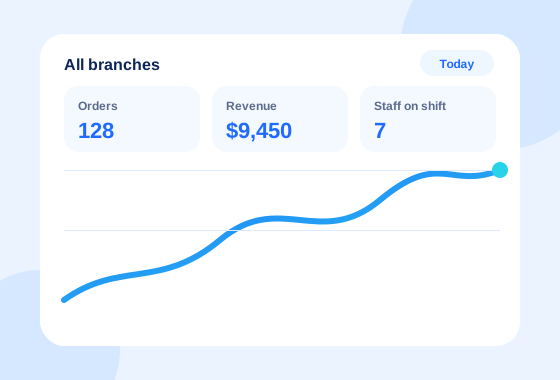
See the whole business at a glance
- Live orders, revenue and staff KPIs
- Compare branches in one view
- Daily and shift-wise reports
- Activity logs for every user
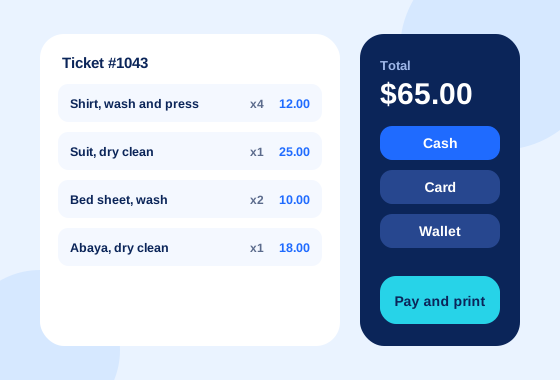
Take an order in seconds
- Create a ticket and tag garments with barcodes
- Choose express or standard service
- Accept cash, card or wallet
- Print or send the receipt
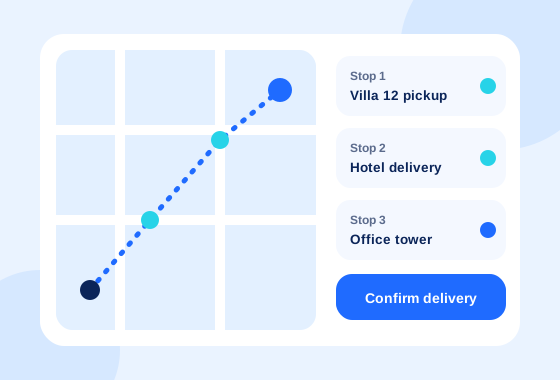
Know where to go next
- Pickup and delivery list for the day
- Status updates from the road
- Confirm delivery with one tap
- Fewer calls to the shop
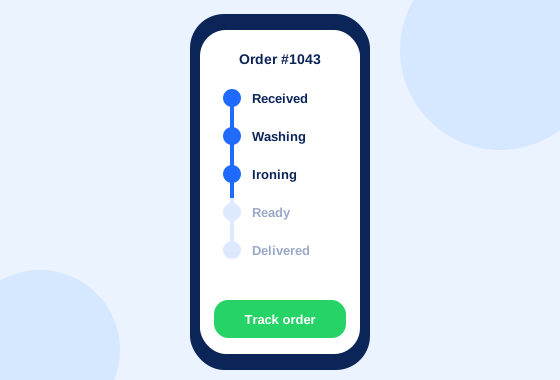
Always know where the order is
- Visual status from washing to delivery
- SMS or WhatsApp when it is ready
- Loyalty points and store credit
- Order history in one place
What you need to start
No special computer or server. If you have a phone, you can take your first order today.
A phone, tablet or PC
CleanMate runs in the browser, and there are apps for Android and Windows.
A receipt or tag printer, if you want one
Print receipts, garment tags and job order tags. You can also send receipts by WhatsApp.
Your price list
Add your garments and services, each with a normal and an express price.
Watch the workflow
See an order move from intake to delivery.